
ClevCalc - Calculator
Cleveni Inc.Productivity
4.621.19K Reviews
- Version
- 2.24.12
- Installs
- 100.00M
- Age Rating
- Everyone
Screenshots
Our Review of ClevCalc - Calculator
 Analysis by Appyee
I reach for ClevCalc - Calculator when a task needs more than the four basic operations. It brings several kinds of everyday number work together, so I can move from a quick calculation to a conversion without opening a string of separate tools. That convenience is the main reason I’d suggest trying it, though whether it can replace your phone’s built-in calculator depends on which tools you actually use.
What the free access does—and doesn’t—settle
ClevCalc is a free productivity app from Cleveni Inc., and it is rated for Everyone. Optional in-app purchases range from $2.99 to $24.99 per item, so there is a paid layer as well as free access. I would treat the free app as the place to see whether its particular calculators fit your routine; the existence of purchases alone does not tell me which paid option is worthwhile for a given person.
Its reach is substantial: it has more than 100 million installs, an average rating of 4.6 from around 1.2 million ratings, and about 21,000 written reviews. Those figures make it a well-established choice, but they can’t tell you whether you personally need a currency converter, a health calculation, or any of its other tools. The app first appeared on January 13, 2013, and version 2.24.12 supports Android 8.0 and later.
Not Just Your Average Calculator
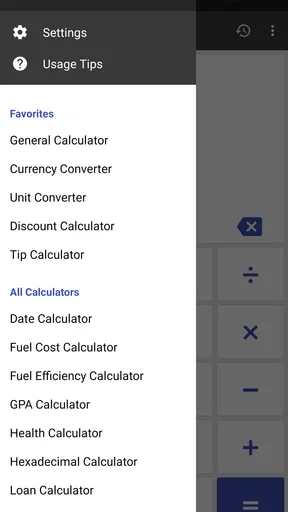
So, you're probably wondering what makes ClevCalc different from the calculator app you already have on your phone. Well, let me break it down for you. This nifty app isn't just about adding, subtracting, and multiplying. It's got a whole bunch of options that cater to a variety of needs. Whether you're splitting the bill after a night out or converting currencies before a trip, this app has got you covered.
Features Galore
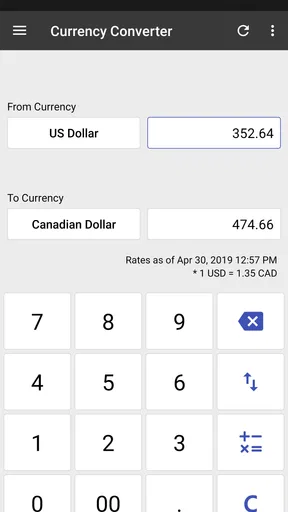
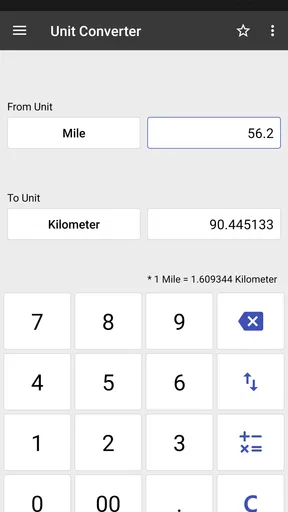
First off, the Currency Converter is a lifesaver. It supports a myriad of currencies and updates in real-time, which means you can say goodbye to Googling exchange rates. Then, there's the Unit Converter, which is super handy for converting everything from length and weight to volume and temperature. I found it particularly useful during my baking experiments when I was trying to convert cups to grams. Spoiler: It worked like a charm!
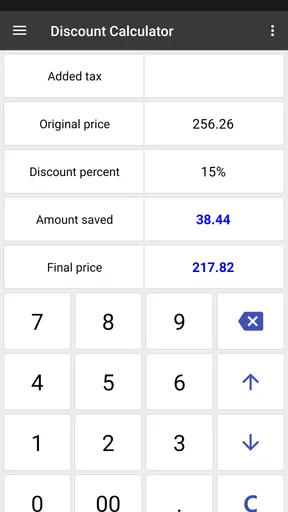
For those of us who dread monthly bills, the app's Discount Calculator can be a real game-changer. It helps you figure out exactly how much you're saving during sales. It's like having a little financial advisor in your pocket, whispering the best deals into your ear.
Using the tools without adding friction
The advantage of having converters and calculators together is less about doing an exotic equation and more about keeping a short chain of decisions in one place. At a grocery store, for example, I can compare a marked-down price with the original amount, then check a weight conversion if a recipe calls for a different package size. That doesn’t make the app a budgeting system or a recipe manager; it simply removes a couple of small calculation detours.
For travel, I’d use the currency tool as a quick estimate while planning or comparing prices, not as a promise of the exact amount a card transaction will eventually cost. Exchange rates can move, and the practical total can depend on fees or the rate used by a payment provider. The useful habit is to check the displayed conversion close to the moment you need it and treat it as a guide for mental arithmetic, rather than a final financial record.
The same distinction matters with the discount calculator. I find it helpful for answering “what is the reduced price?” or “how much is the saving?” while shopping, but a discount by itself doesn’t establish that an item is a good deal. If the original price is inflated or a competing product has a lower unit cost, the calculation cannot make that comparison for you. I’d pair it with a quick look at the actual price per quantity when the choice matters.
Intuitive Design
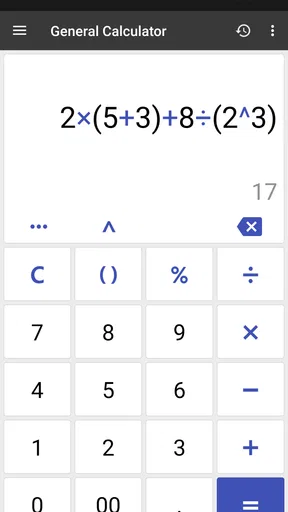
One thing that struck me about ClevCalc is how user-friendly it is. The interface is clean and intuitive, making it easy for anyone to pick up and use without getting lost in a sea of numbers and functions. Everything is laid out logically, so no need to worry about hitting the wrong button and ending up with a math disaster.
The design is not only aesthetically pleasing but also functional. It doesn't bombard you with ads, which is a huge plus in my book. Plus, it's customizable, so you can tweak the settings to fit your personal style. Love a dark theme? They've got you covered.
Where an all-in-one layout asks for a little care
Putting many tools in one app is convenient, but it can also mean that the screen you need is not as immediate as a dedicated calculator’s main keypad. If you only do basic sums, the phone’s built-in option may be faster simply because it is already familiar and ready to open. I’d spend a minute learning where the tools I use most often sit, rather than assuming every extra function will be effortless on the first tap.
There is also a difference between a calculator and a record-keeping tool. A visible answer or calculation history can help me check what I just worked out, but I would not use that in place of a spreadsheet, expense tracker, or saved financial document when I need a durable trail of decisions. For a one-off bill split, quick conversion, or sale-price check, a calculator is the right scale of tool; for recurring household totals, a spreadsheet gives me more structure.
When installing, I’d also judge the app by the current experience on my own device rather than assuming every version looks identical. The Android release requires version 8.0 or later, and the app is free to start using, with optional purchases available. If I only need a simple calculation and want no additional app to manage, staying with the built-in calculator remains a perfectly sensible choice.
Extra Tools for the Nerd in You
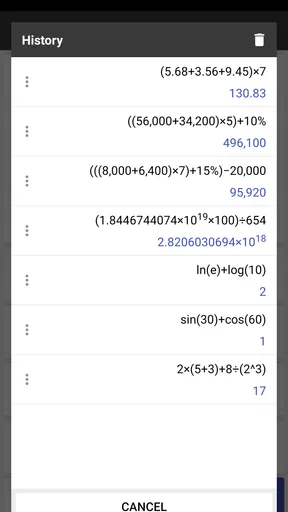
If you're a bit of a math nerd (no judgment here!), you'll appreciate the app's Scientific Calculator feature. It includes all the trigonometric, logarithmic, and exponential functions you could wish for. And yes, it has a history log, so you can easily look back at your previous calculations without pulling your hair out.
For those focused on health and fitness, the app offers a Health Calculator, which includes features like BMI calculation. It's a nice touch for those who are tracking their fitness journey and need quick, reliable calculations.
Knowing when a calculator is enough
The scientific functions make more sense for students and people who occasionally need higher-level calculations than for someone who only adds up a shopping basket. I’d use the history log as a quick check when working through several steps: if a result looks off, reviewing earlier entries can help me spot where I mistyped. For coursework where showing a method matters, though, a calculator history is not a substitute for writing out the reasoning or using a tool required by a class.
The BMI tool is similarly best treated as a convenient calculation, not a health assessment. It can give a number based on the information entered, but that number cannot describe a person’s full health or fitness. I’d use it for a rough reference if it suits my tracking habits, while turning to a qualified health professional for personal interpretation or decisions. That boundary is worth keeping in mind with any health-related calculator.
Who is likely to get the most from it?
I think ClevCalc makes the most sense for someone who regularly crosses between small calculation jobs: a student checking scientific work, a home cook converting measures, a shopper comparing a discount, or a traveler estimating a price in another currency. The payoff is not that every tool is needed every day; it is that the useful ones can live alongside the standard calculator instead of being scattered across separate apps.
A realistic use might be planning a meal and shopping for it on the same afternoon. I could convert an ingredient quantity, estimate a sale price, and split the shared grocery total with a friend, all as quick tasks rather than opening a dedicated app for each. If that pattern sounds familiar, the collection can save little bits of time. If your phone’s calculator already handles everything you ask of it, those extra choices may add clutter rather than value.
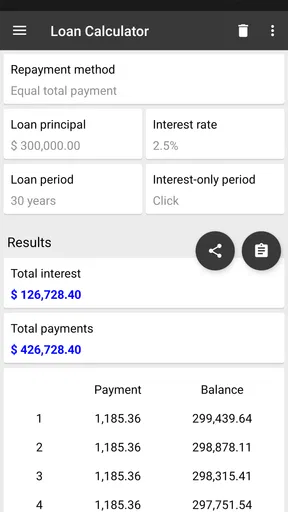
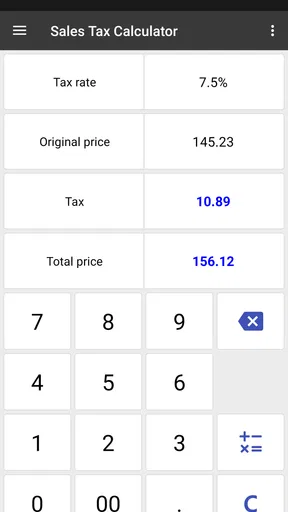
Compared with the usual alternatives, the built-in calculator is the strongest choice for speed and simplicity, while a dedicated converter can be preferable if conversions are the only thing you do and you want a focused interface. ClevCalc’s case is breadth: its everyday, scientific, conversion, discount, and health tools sit under one roof. The trade-off is that a broad toolkit is only useful when you can find and trust the specific tool you need; it does not replace specialist financial, educational, or health apps when those provide important context or records.
Final Thoughts
Overall, ClevCalc - Calculator is a powerhouse of an app that does more than just crunch numbers. It's versatile, easy to use, and packed with features that cater to a wide range of needs. Whether you're a student, a traveler, or someone who just needs help splitting the dinner bill, this app is worth a download.
If you’re tired of switching between multiple apps for different calculations, give ClevCalc a try. It's like carrying a mini computing powerhouse in your pocket, ready to tackle any math problem you throw its way. Trust me, once you start using it, you'll wonder how you ever survived without it!
My practical verdict on value
I’d try the free version if I wanted several of these tools in one place, then decide based on which ones I actually return to. The optional purchases have a broad price range, but price alone doesn’t establish that an upgrade is useful; I’d only consider spending if a paid item addresses a specific need I have. For a person who rarely goes beyond basic arithmetic, there is no compelling reason to pay for extra capability they will not use.
My recommendation is therefore a qualified yes: it is an appealing everyday toolkit for people who convert, compare, and calculate often, and a reasonable skip for anyone who wants only a bare keypad or needs a specialist app with deeper records and context. Its best value comes from reducing small bits of app-switching, not from replacing every dedicated tool. If that is the kind of convenience you want, ClevCalc is worth trying; if not, the calculator already on your phone may be all you need.
Verdict
Strengths of ClevCalc - Calculator
- User-friendly interface for easy navigation.
- Wide range of calculation modes available.
- Fast and smooth performance without lag.
- Supports multiple currencies for conversions.
- Minimal ads for an uninterrupted experience.
Limitations of ClevCalc - Calculator
- No option for custom themes or skins.
- Advanced features require in-app purchases.
- Limited graphing capabilities.
- Occasional crashes on older devices.
- No cloud save for calculation history.
Similar Picks in This Category
View All
Google Calendar
Google LLC4.6

Google Drive
Google LLC4.3

Google Assistant
Google LLC3.9

Microsoft OneDrive
Microsoft Corporation4.6

Samsung Calendar
Samsung Electronics Co., Ltd.4.1

Microsoft OneNote: Save Notes
Microsoft Corporation4.6
Frequently Asked Questions
What features does ClevCalc offer beyond basic calculations?
ClevCalc offers a wide array of features beyond simple arithmetic. It includes specialized tools like unit converters, currency converters with real-time updates, health calculators such as BMI and ovulation trackers, and even a discount calculator. The app is designed to cater to a variety of everyday needs, making it a versatile tool for users.
Is ClevCalc available for both Android and iOS devices?
Yes, ClevCalc is available on both Android and iOS platforms. You can download it from the Google Play Store for Android devices and the Apple App Store for iOS devices. The app is optimized for both operating systems, ensuring a smooth and efficient user experience regardless of the device you use.
Does ClevCalc require an internet connection to function?
While most basic functions of ClevCalc can be used offline, certain features like the currency converter require an internet connection to update exchange rates in real-time. For the best experience, it’s recommended to have an internet connection available when using these specific features.
Is ClevCalc free to use or does it include in-app purchases?
ClevCalc is free to download and use, providing access to a variety of basic and advanced functions. However, it does offer in-app purchases for users who want to remove ads or unlock additional premium features. These purchases are optional and designed to enhance the user experience.
How user-friendly is ClevCalc for beginners?
ClevCalc is designed with user-friendliness in mind, featuring an intuitive interface that is easy to navigate. Beginners will find the app straightforward to use, with each feature clearly labeled and accessible. Additionally, the app provides helpful tips and guides to assist new users in making the most of its capabilities.
